01
A map for explaining the weather
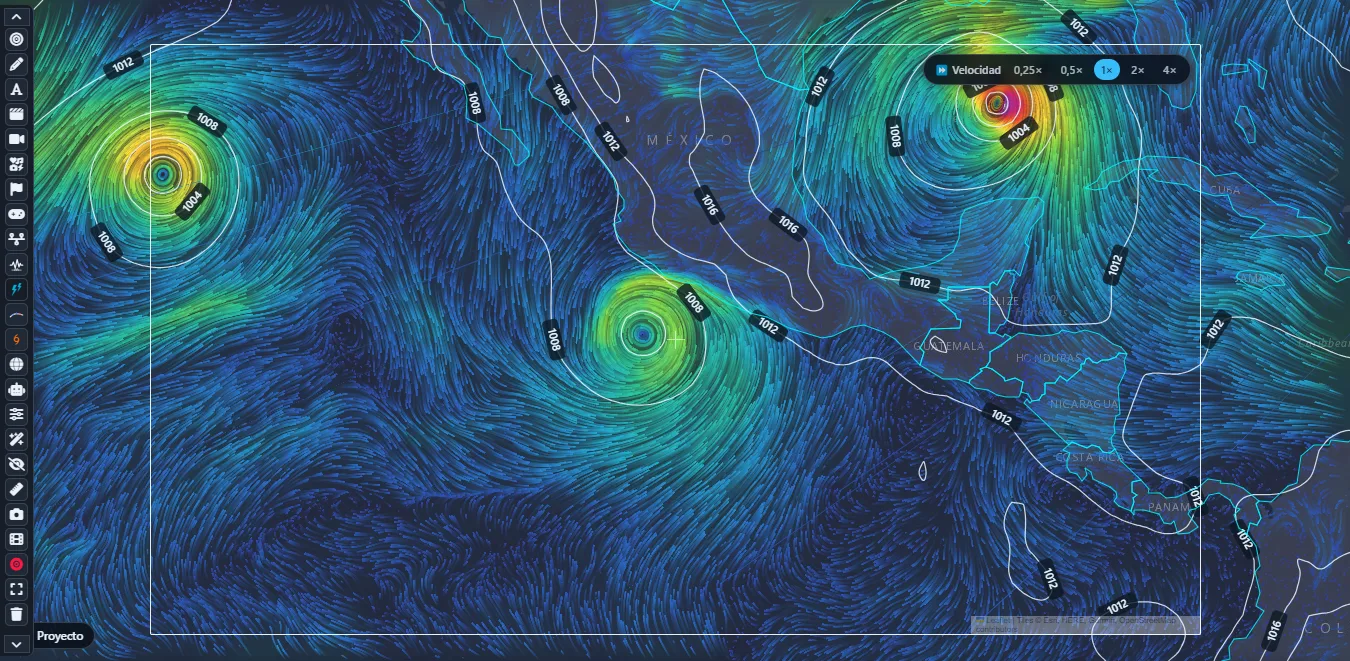
Combine wind, rain, humidity, satellite, waves and other layers with timelines, legends and labels. Earthquake views add magnitude, depth, energy and estimated intensity to help explain each event.
 METEOPAINT
Animated maps, 3D storms and tools for presenting natural phenomena.
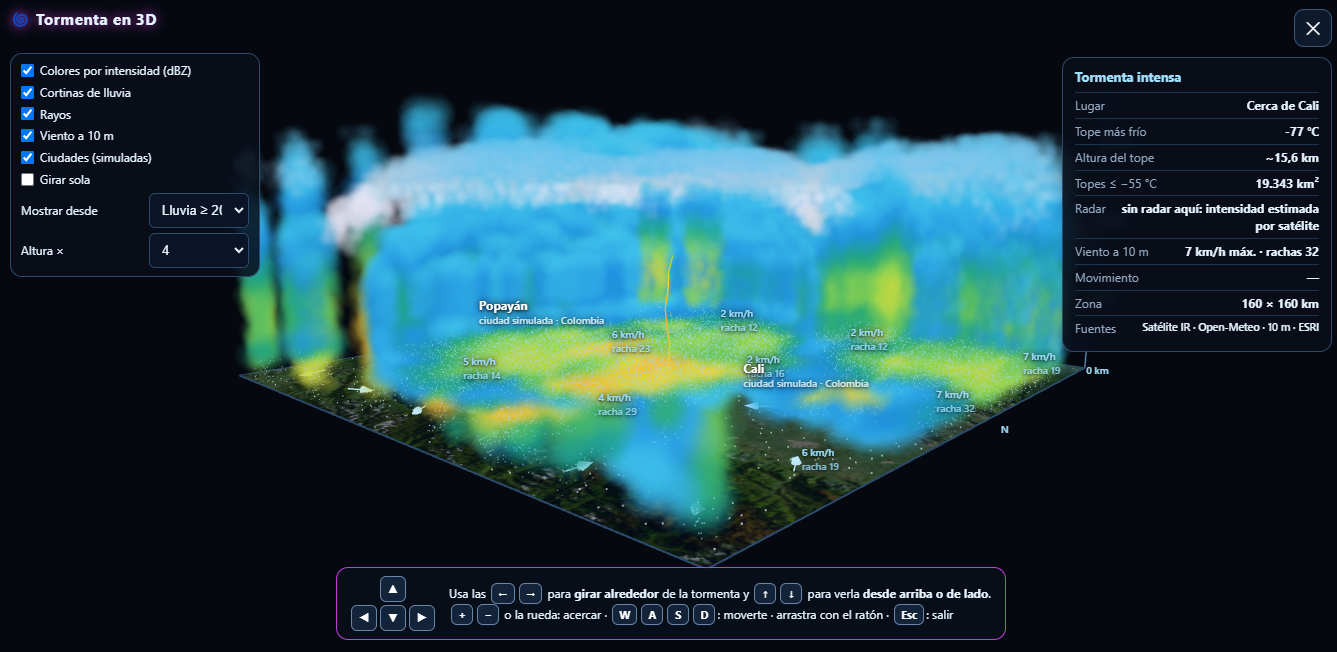
Real screenshots of the desktop app. They are visualization examples: each layer shows its date and source inside the app.
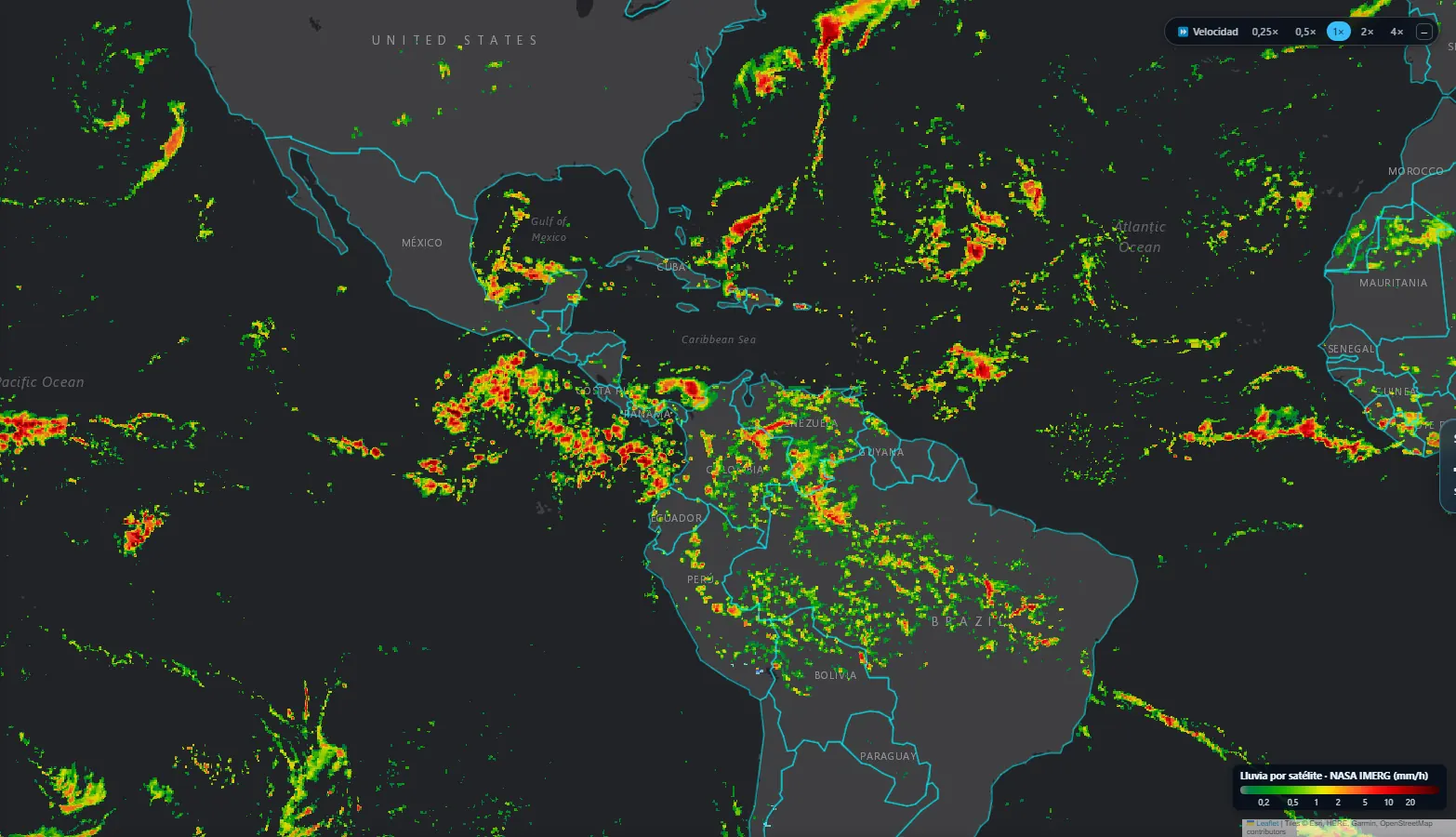
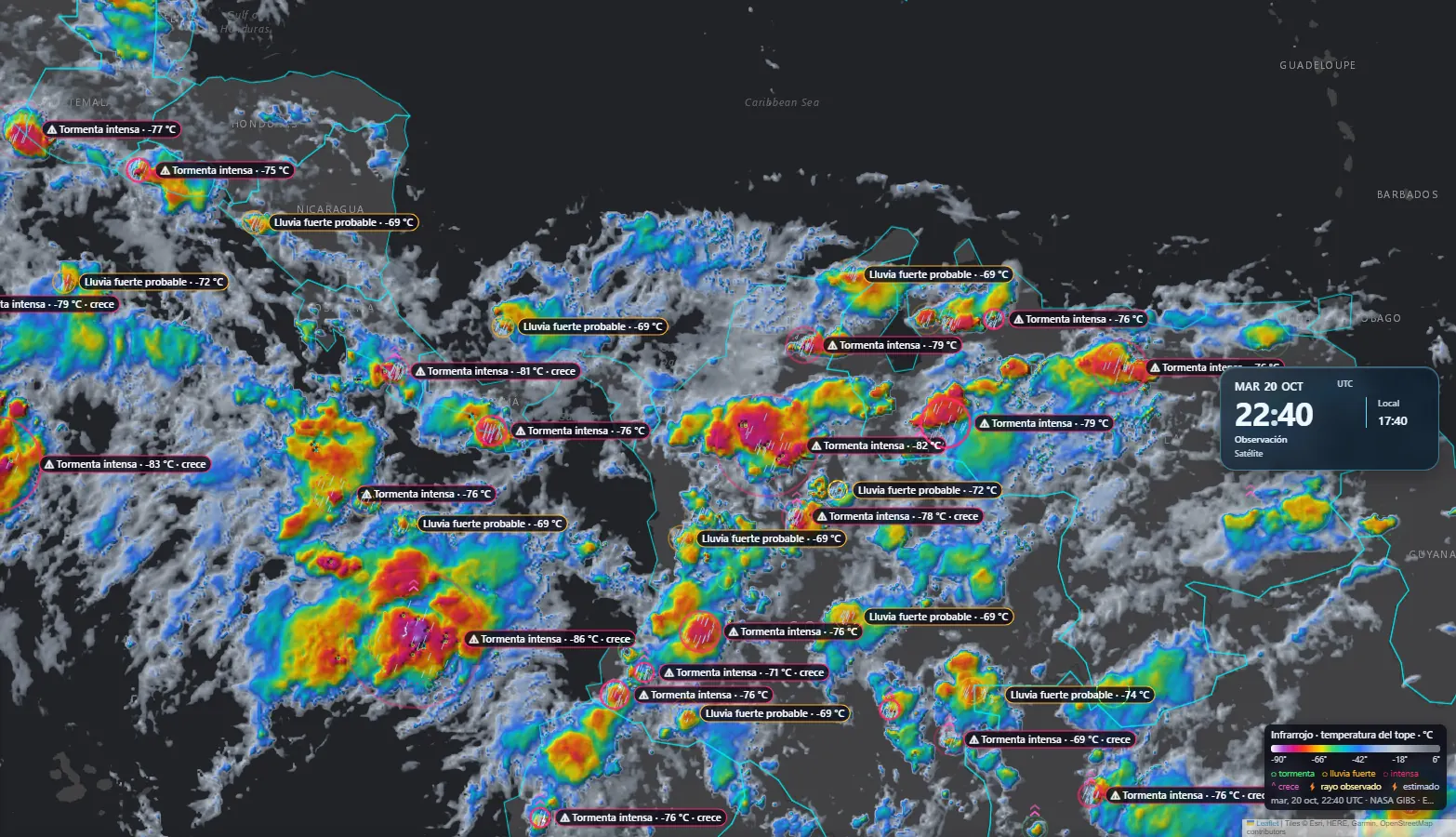
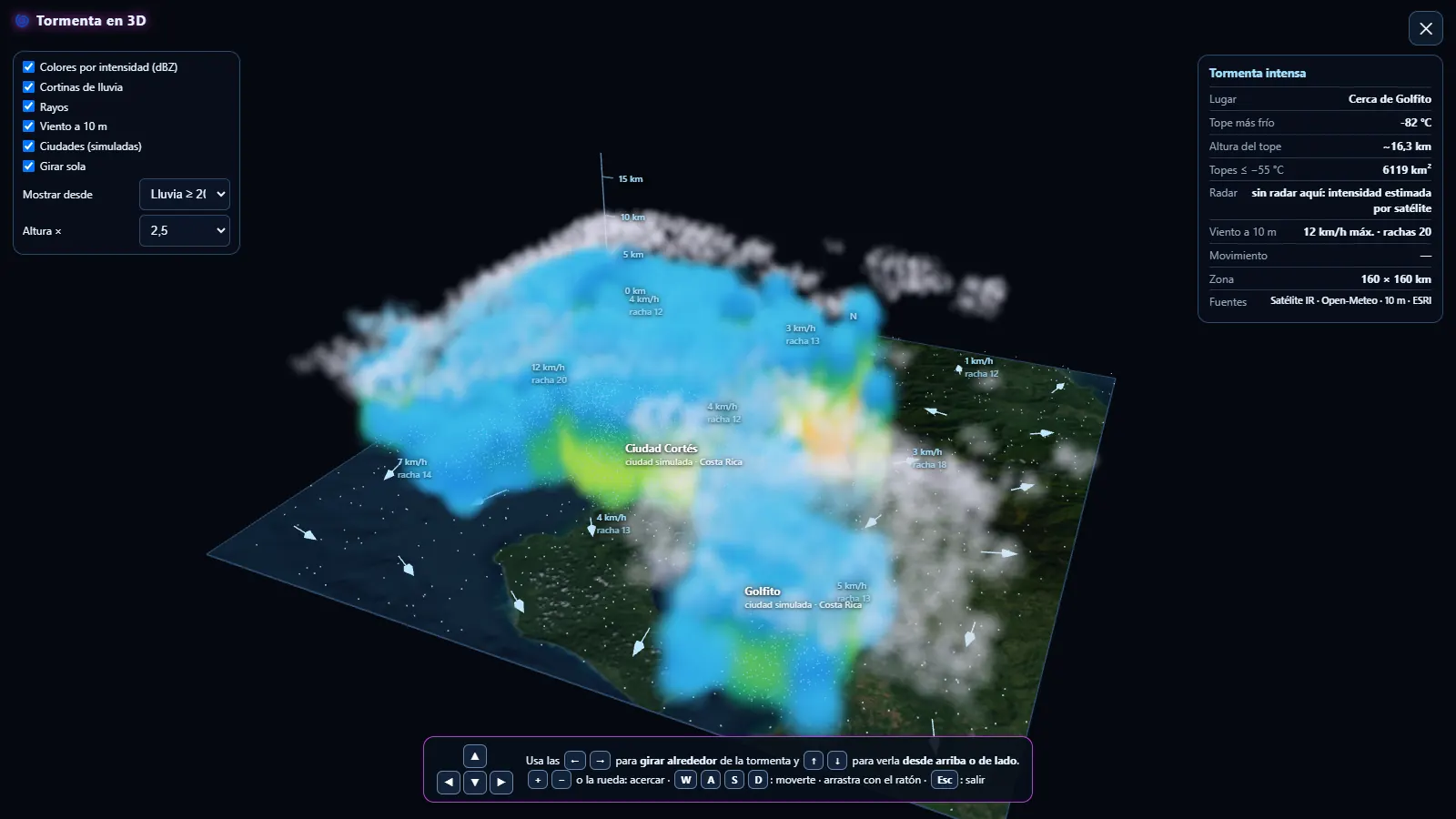
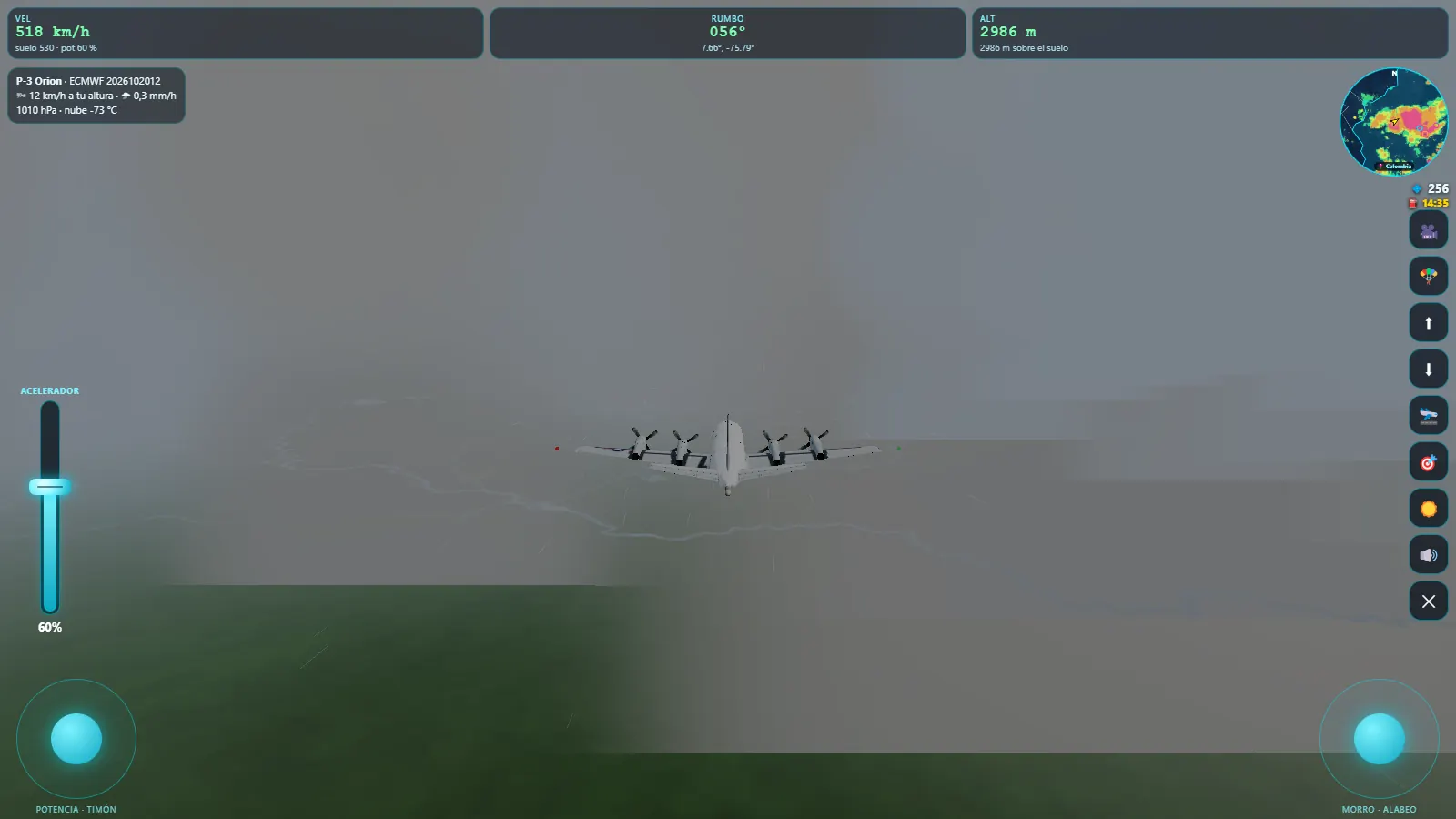
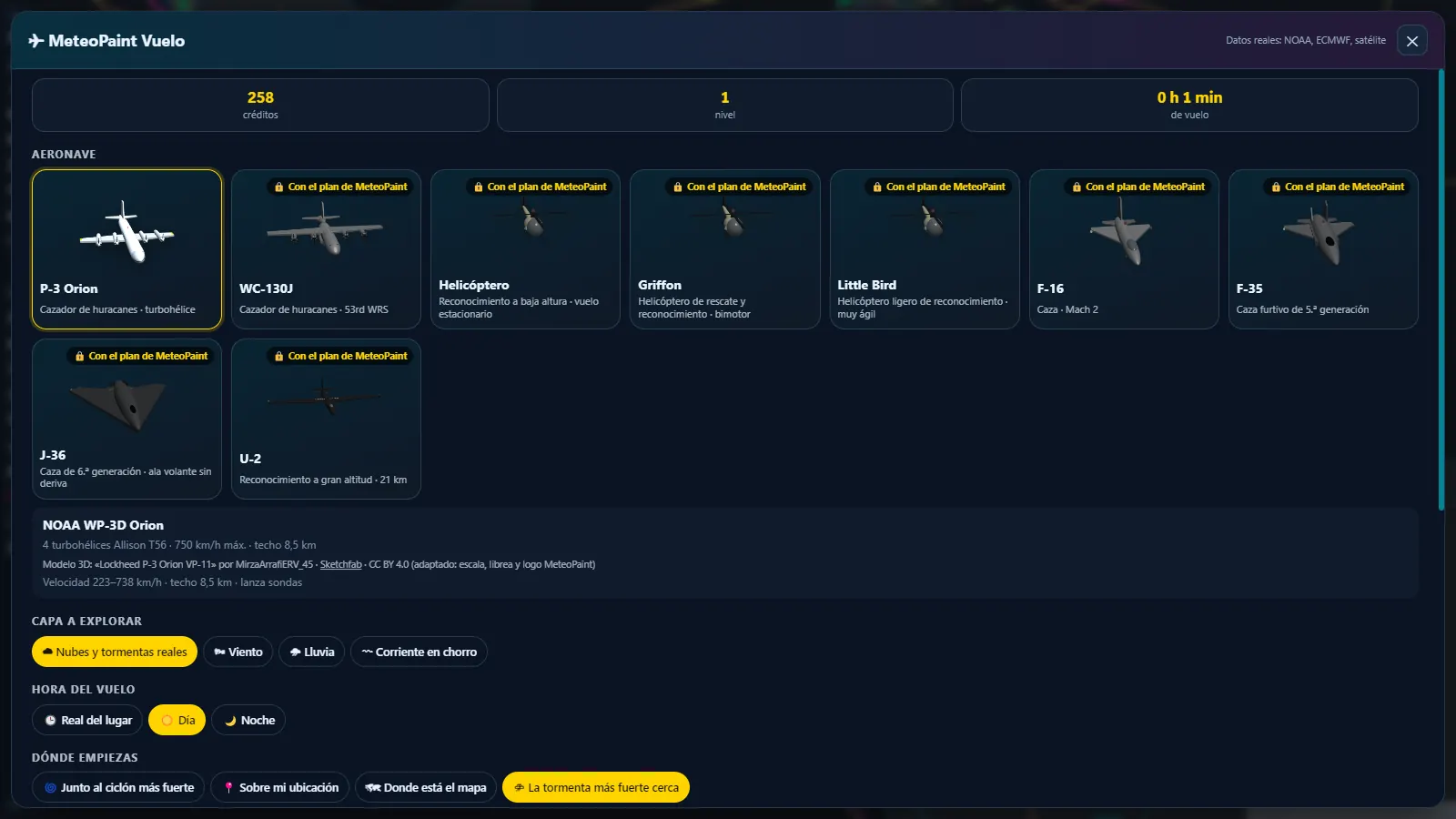
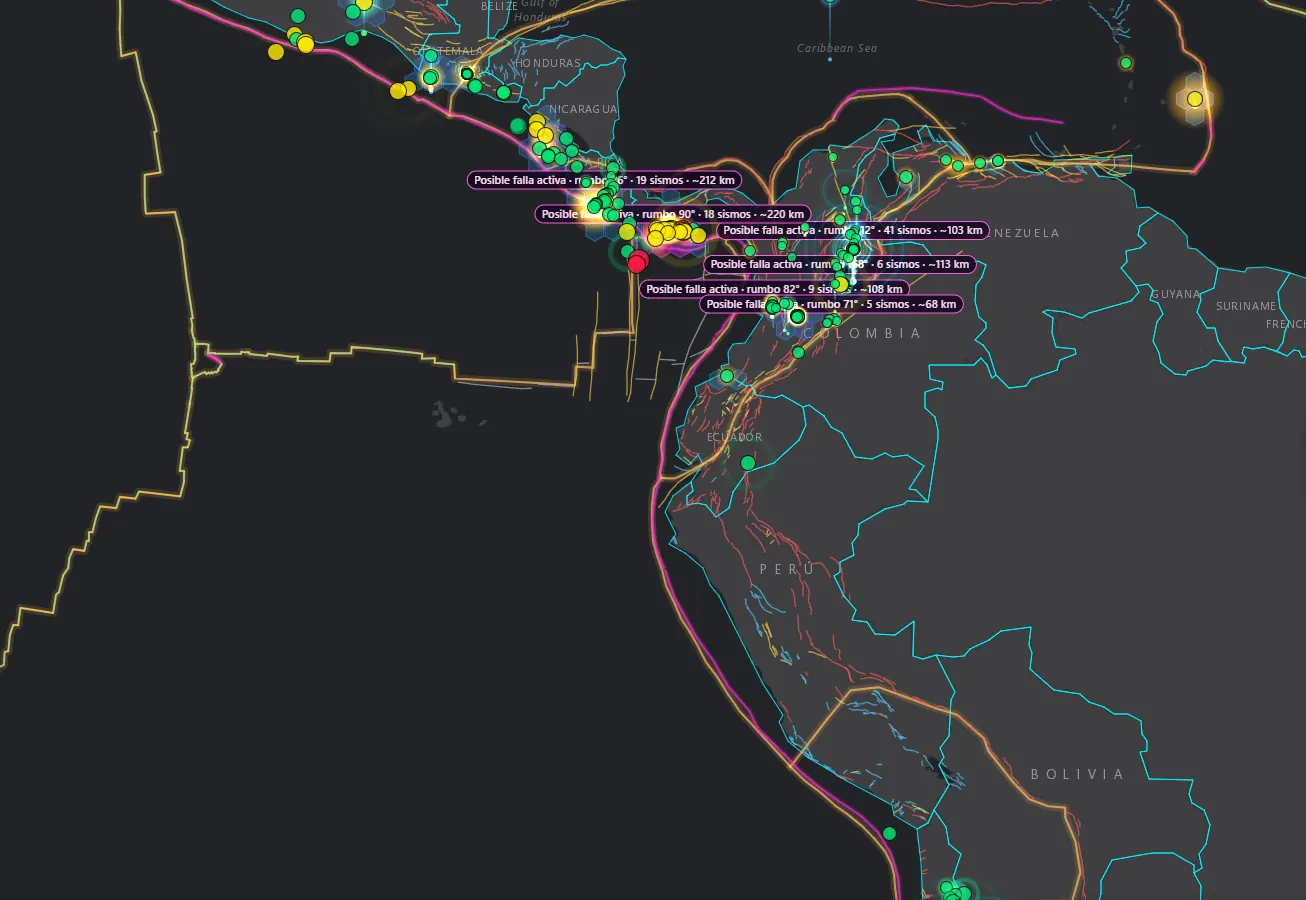
MeteoPaint brings weather and earthquake visualization together with a desktop presentation studio. Explore layers, compare times and prepare explanations for your community, classroom or broadcast. Data availability, coverage and dates depend on each source.
Combine wind, rain, humidity, satellite, waves and other layers with timelines, legends and labels. Earthquake views add magnitude, depth, energy and estimated intensity to help explain each event.
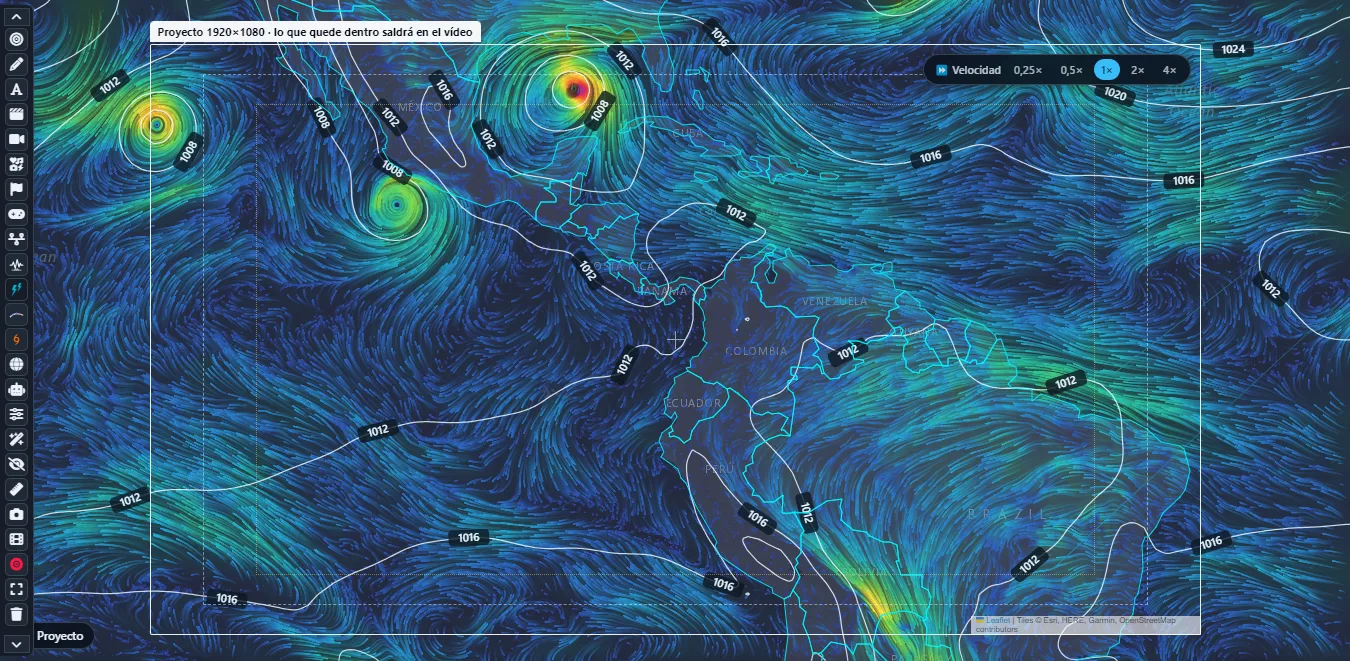
Consult hurricanes, tracks and ensembles; view the ITCZ, monsoon trough and tropical waves using NOAA/NHC analyses. Tropical evolution calculated by MeteoPaint for up to 72 hours is experimental and is distinguished from the official forecast.
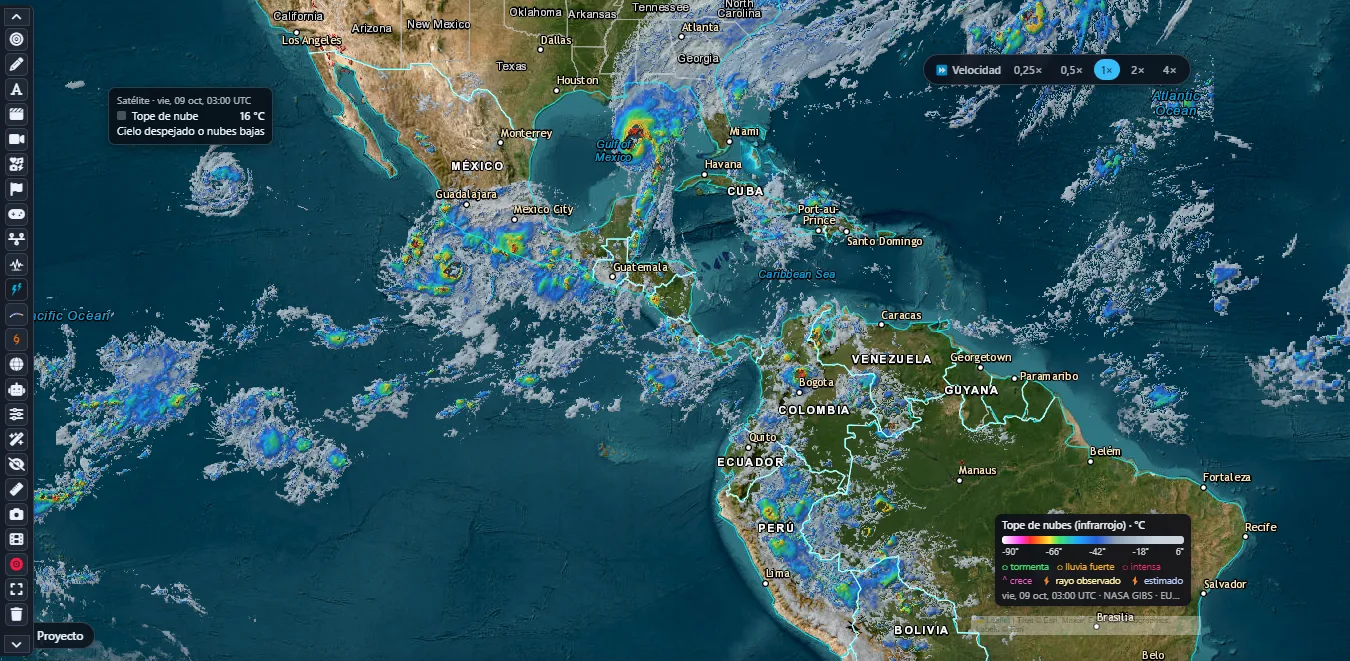
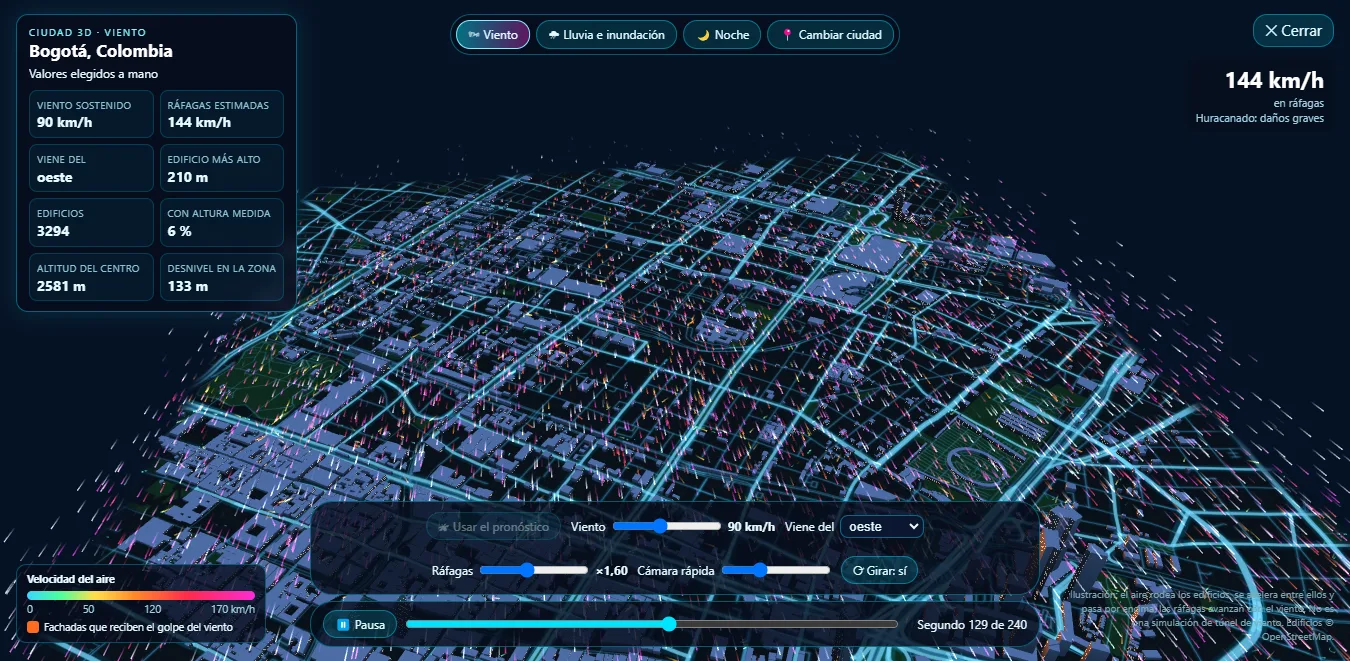
The volumetric view uses infrared information and radar where coverage exists. Height and intensity may be estimated; rain, lightning and the buildings shown are visualization elements. Rotate, zoom in and display wind over the terrain.
The flight environment lets you explore landscapes and 3D cyclone scenarios in aircraft. It is a simulation and educational experience, not an air navigation tool or a measurement inside a hurricane.
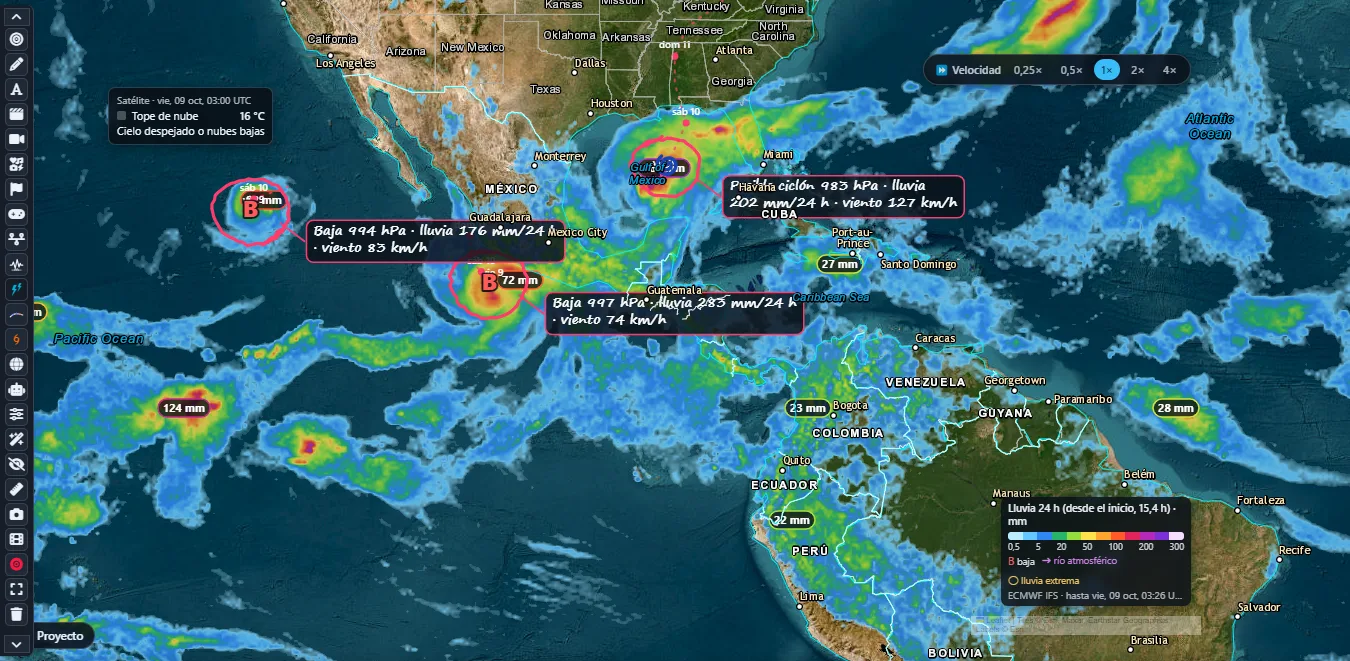
On desktop, arrange titles, cards, camera tours and a forecast clock. Record or export compositions and broadcast to configured RTMP/RTMPS destinations, including several at once. You need an account enabled for broadcasting and each destination’s server and stream key. External capture is also an option; the Windows virtual camera requires the OBS component. Availability depends on platform and version.
Connect your own key from a compatible provider, such as OpenAI, Claude, Gemini or DeepSeek, to help prepare studio scenes and actions. AI does not replace weather data: you review the composition and handle recording or export. Your provider may charge for API usage.
Direction, speed and animated atmospheric flow.
Apparent temperature and its evolution in the model.
Accumulations and precipitation systems on the map.
Explore rain according to available coverage and products.
Clouds in 2D, true color and thermal information about cloud tops.
The distribution of air humidity as a percentage.
Wind, temperature and atmospheric fields at higher levels.
Differences from the layer's climate reference.
Visualize sea conditions and their available variables.
Fields showing the transport of atmospheric particles.
Forecast snow and accumulations for the selected product.
Sea temperature and anomalies, Niño regions and NOAA indices.
Fire detections and smoke visualization from available sources.
Cold and warm fronts providing context for weather changes.
Tracking, paths, official information and available ensembles.
Events, magnitude, depth, energy and estimated intensity views.
Available official alerts, affected areas and severity levels.
US NWS warnings and watches; not a worldwide tornado catalogue.
NOAA/NHC analysis axes and experimental evolution when data are available.
Identification from available analyses and experimental tracking.
Weather communicators, creators, educators, enthusiasts and professionals who want to present weather or earthquake data visually.
Layers cover models, satellite, radar, the ocean and earthquakes, along with NOAA information on tropical systems and ENSO. Each layer shows its source and available period.
No. It is a visual reconstruction based on satellite and radar where available. Some values, cloud geometry and buildings are estimated or simulated.
MeteoPaint displays alerts from available sources. It does not replace your country's weather, earthquake or civil protection authorities. The absence of an alert in the app does not guarantee safety.
Yes. On desktop, prepare scenes, record or export and broadcast to compatible RTMP/RTMPS destinations. Set up your account, server and stream key; each platform sets its own access conditions. External capture is another option. Features depend on your system and version.
No. Data visualization is independent of assistant configuration. The desktop director accepts your own compatible provider keys to help prepare scenes; quotas and costs depend on the provider.
A short guide to layers, units and the differences between observations, forecasts and visualizations.
Glossary